开始之前 还没有账户?请先在
供应商入驻 页面提交申请,We-World 审核后为您开通账户。
No account yet? Apply on the suppliers page first; We-World creates your login after a short check. 1
登录供应商账户
- 打开 weworld.digital/admin。如果页面不是中文,点击顶部的“中文”。
- 输入 We-World 为您开通的邮箱和密码,点击“登录”。
- 忘记密码:点击“忘记密码?”,重置链接会发到您的邮箱。
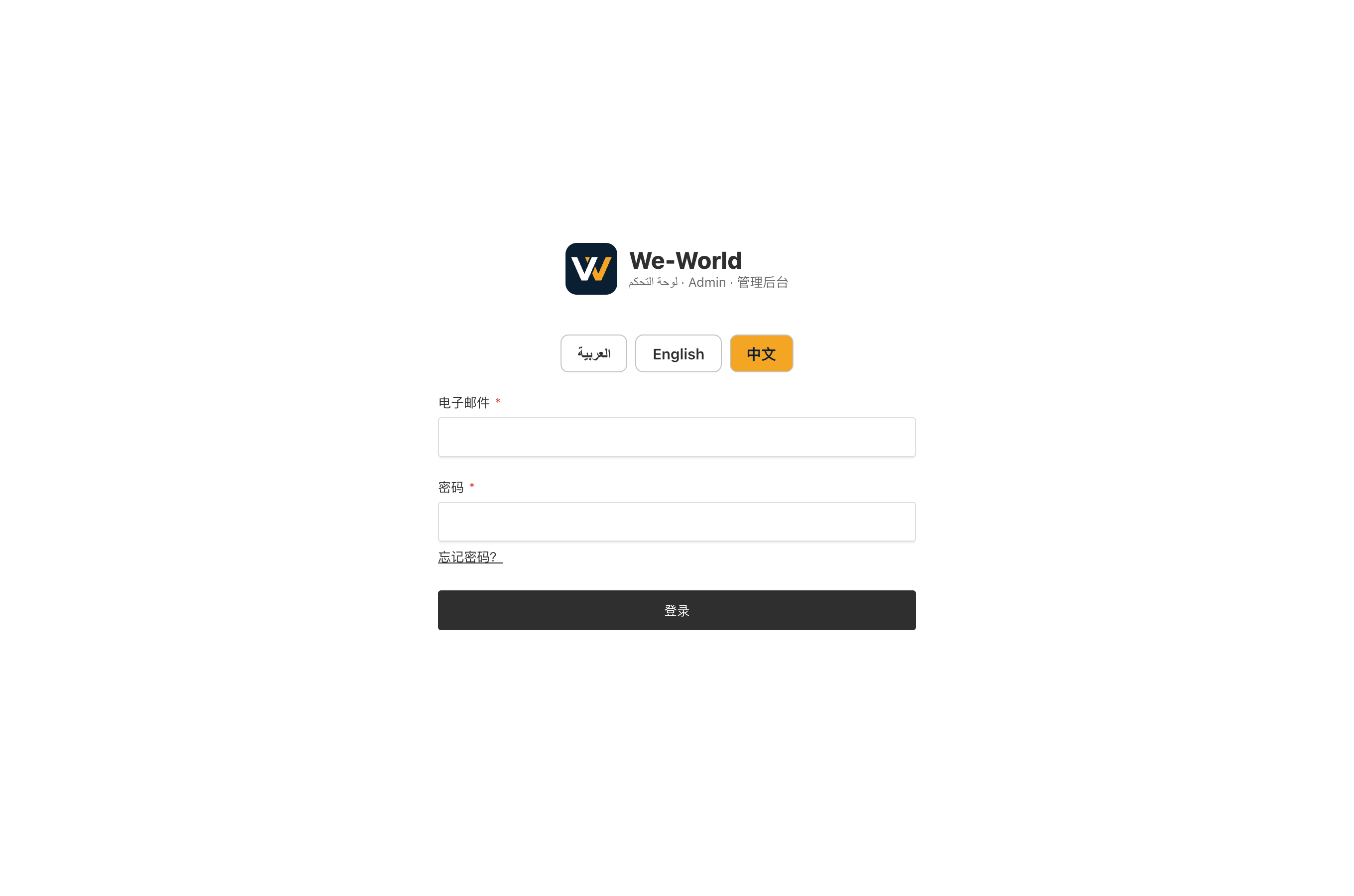
Log in to your supplier account
- Open weworld.digital/admin and tap 中文 / English at the top to choose the language.
- Enter the email and password We-World created for you.
- Forgot your password: use "Forgot password?" and the reset link goes to your email.
2
控制台:点击“上传产品”
- 登录后进入控制台,点击橙色的“+ 上传产品”。
- 下面的数字显示您的产品状态:待审核、需要修改、已发布。点击数字可以直接查看对应产品。
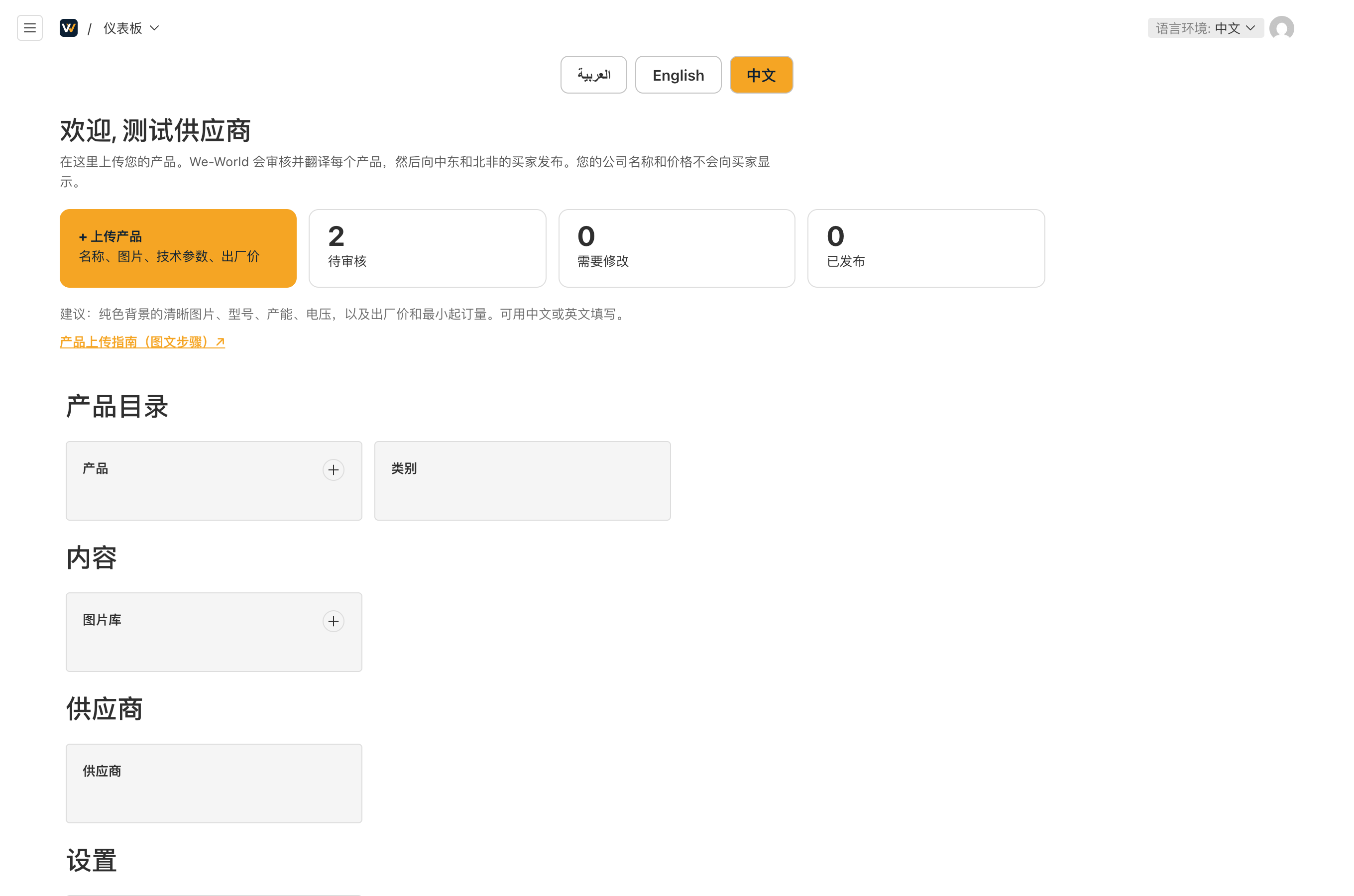
Dashboard: tap "Upload a product"
- After login you see the dashboard. Tap the orange "+ Upload a product".
- The numbers show your products waiting for review, needing changes, and published.
3
填写产品信息
- 产品名称(必填):例如“全自动5加仑桶装水灌装机”。
- 型号:单台设备请填写型号。
- 简介(必填):一到两句话,说明产品是什么、产能多少。
- 图片:点击“创建新条目”上传图片,可上传多张。请用纯色背景的清晰照片,图片上不要放公司名称、Logo、电话或水印。
- 详细描述:介绍工作原理、结构、材质、配置。
- 技术参数:点击“添加参数”,每行填写名称和数值,例如“产能 | 每小时300桶”“电源 | 380V 50Hz 三相”。
- 应用领域:适用的行业或产品。
- 仅 We-World 可见:出厂价(注明 FOB 或 EXW 和币种)、最小起订量、生产周期、证书。这些信息不会向买家显示。
- 类别(右侧,必填):选择产品所属类别。
- “回退到默认语言环境”请不要勾选。
- 最后点击右上角“保存草稿”。
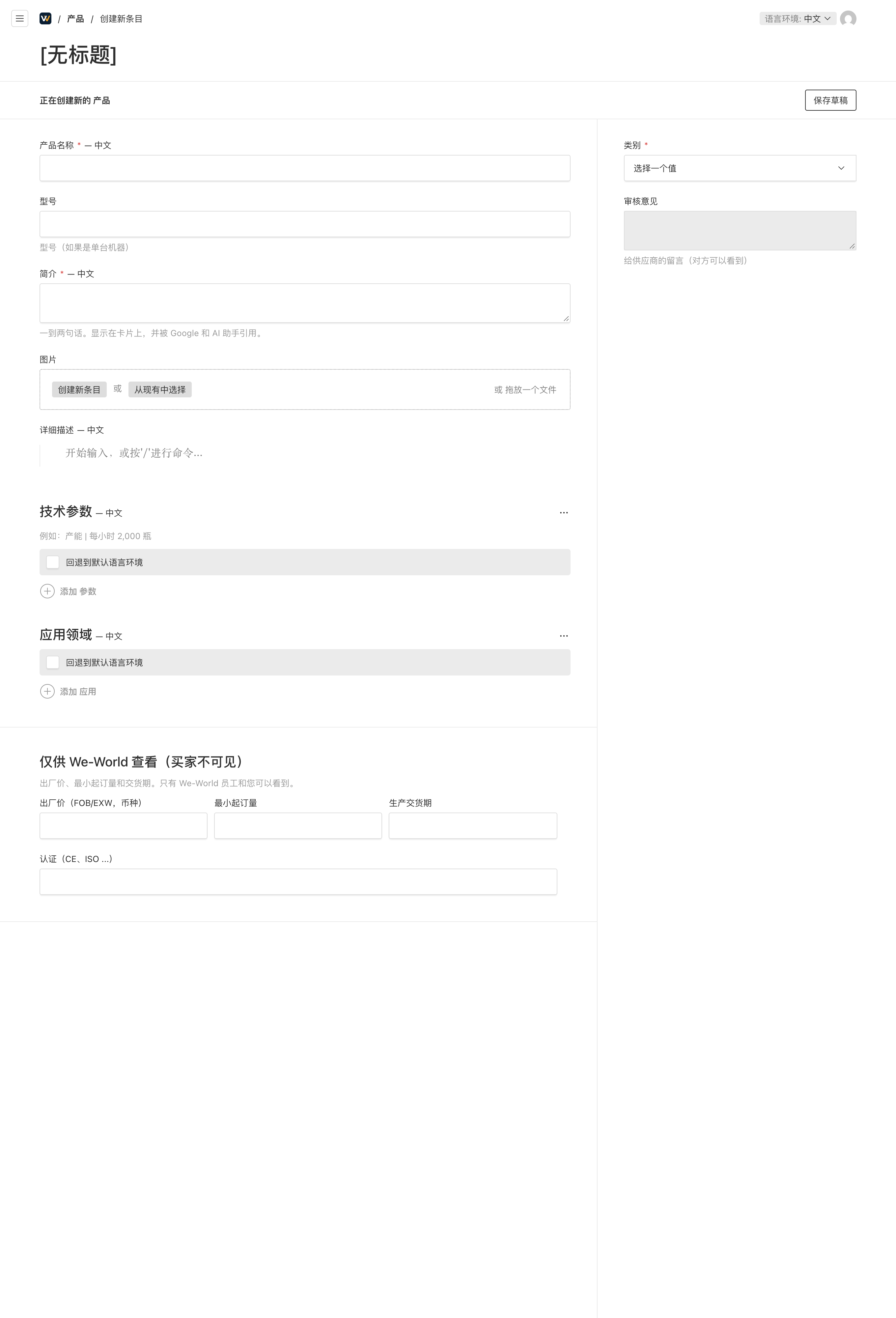
Fill in the product
- Product name and short summary are required; add the model number for a single machine.
- Photos: tap "Create new" to upload. Plain background, sharp, no logos, phone numbers or watermarks.
- Specifications: "Add specification" for each line, for example Capacity | 300 barrels per hour, Power | 380V 50Hz 3-phase.
- Private section (factory price with FOB/EXW and currency, MOQ, lead time, certificates) is visible only to We-World.
- Choose the category on the right, leave "fallback to default locale" unticked, then tap "Save draft".
4
保存后:等待审核
- 保存后状态为“草稿”,审核为“待审核”。您可以随时修改并再次保存。
- We-World 审核产品、翻译成英文和阿拉伯文,然后发布给买家。
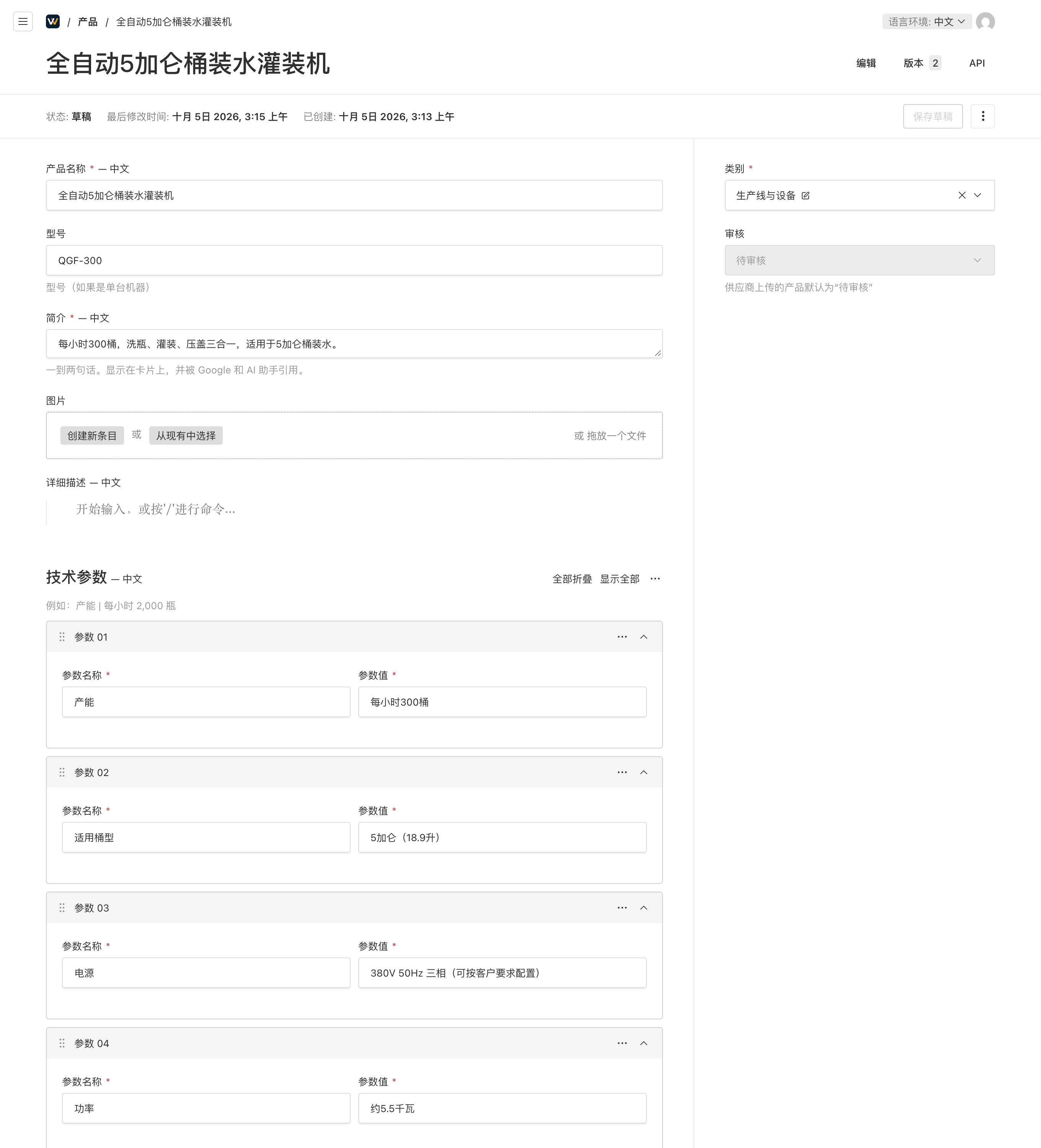
After saving: waiting for review
- Status shows Draft and Review shows Pending. You can edit and save again at any time.
- We-World reviews the product, translates it into English and Arabic, and publishes it for buyers.
5
查看我的产品
- 左侧菜单“产品”列出您上传的全部产品和审核状态。
- “需要修改”:打开产品,查看右侧的“审核意见”,修改后保存即可。
- “已批准”并发布后,产品会显示在网站上。买家的询盘由 We-World 对接并转给您。
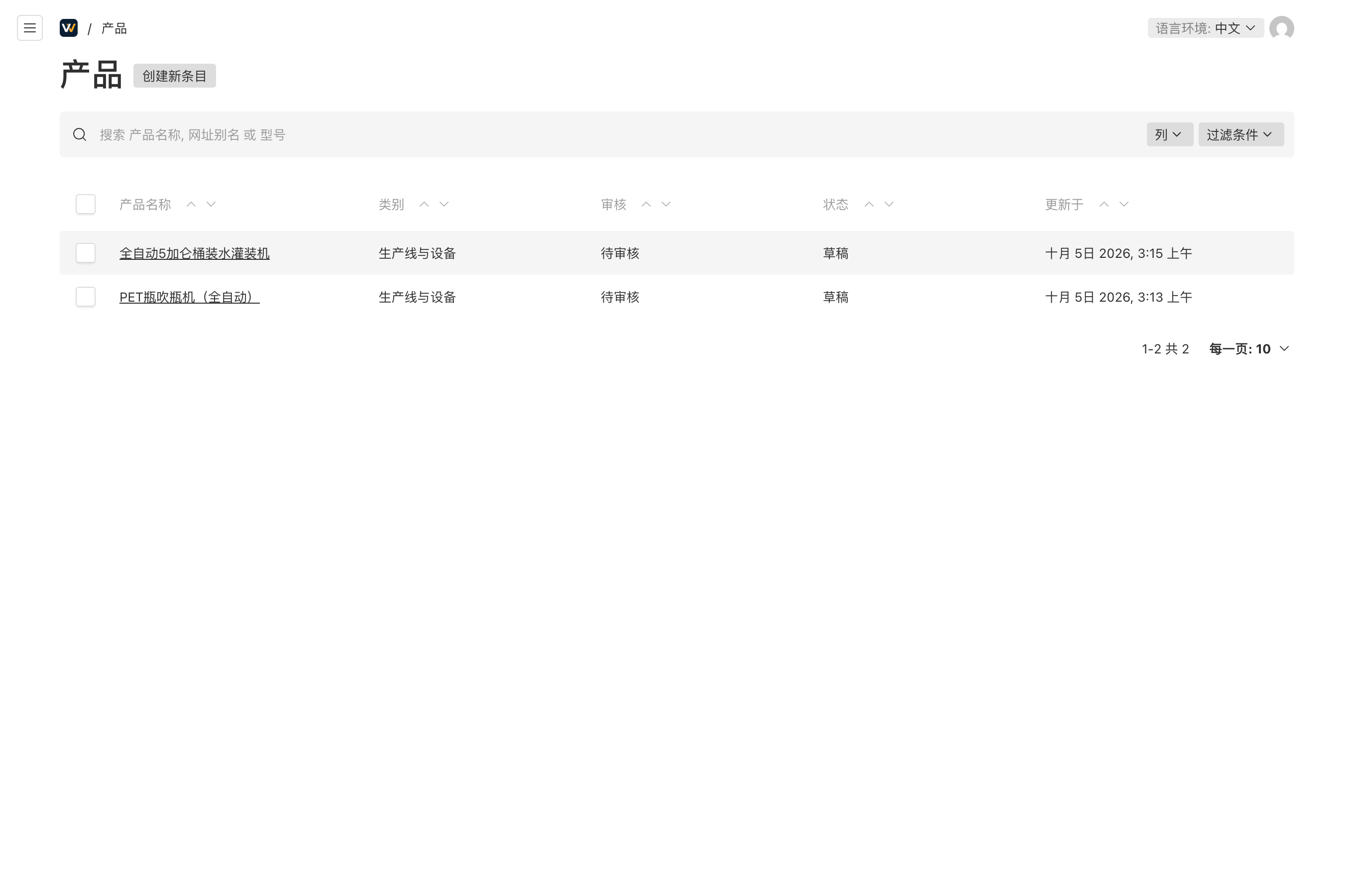
Your product list
- "Products" in the menu lists everything you uploaded and its review status.
- "Needs changes": open the product, read the review note on the right, edit and save.
- Once approved and published, the product appears on the website. We-World handles buyer enquiries and passes them to you.
注意 您的公司名称、出厂价和起订量不会向买家显示。有问题请联系 We-World:微信或 WhatsApp +86 138 1338 0804。
Your company name, factory price and MOQ are never shown to buyers. Questions: WeChat or WhatsApp +86 138 1338 0804.
登录供应商后台 · Supplier login
